Integrated Touch ID Sensor for Secure Authentication
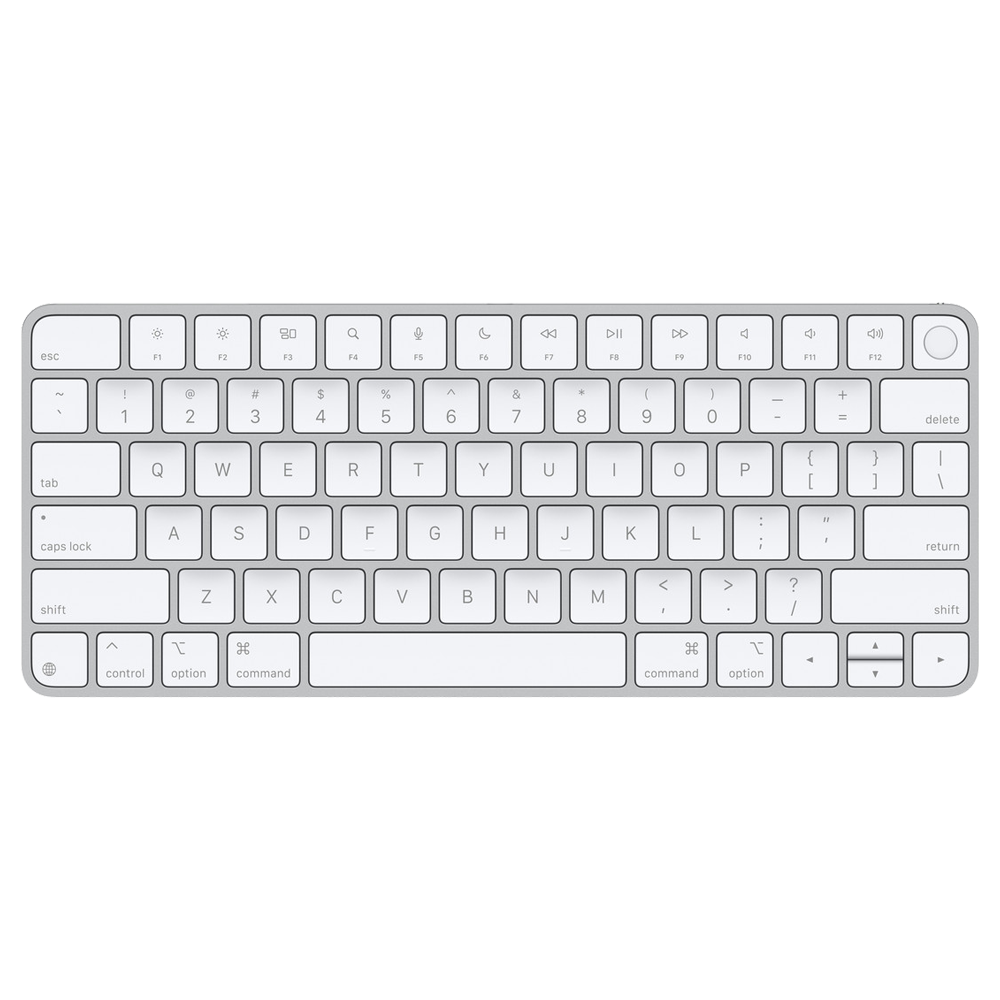
The Magic Keyboard A2449 features a built-in Touch ID sensor located in the top-right corner of the keyboard. This allows you to quickly and securely unlock your Mac, authorize purchases from the iTunes Store, App Store, and Apple Books, and make purchases on the web using Apple Pay. You can also use Touch ID to sign into some third-party apps and autofill passwords in Safari and other applications
.
Requires Apple Silicon Mac for Touch ID Functionality
The Touch ID function on the Magic Keyboard A2449 is only compatible with Mac models equipped with Apple silicon (M1, M2, M3, M4, M5 chips and later). The keyboard's Touch ID sensor securely pairs with the Secure Enclave on your Mac to process fingerprint authentication, and it does not store fingerprint data on the keyboard itself
.
Comfortable, Precise Typing Experience
The Magic Keyboard delivers a remarkably comfortable and precise typing experience with low-profile, responsive keys. The compact model without the numeric keypad features a QWERTY layout with full-height function keys, providing convenient access to common controls like brightness, volume, and media playback
.
Long-Lasting Rechargeable Battery
The keyboard features a built-in rechargeable battery that powers your keyboard for approximately one month or more between charges, depending on usage. It pairs automatically with your Mac when connected via Bluetooth, so you can start working straight away
.
USB-C Charging and Wired Connectivity
The Magic Keyboard A2449 includes a woven USB-C Charge Cable that lets you pair and charge the keyboard by connecting it to a USB-C port on your Mac. You can also use the keyboard in wired mode while charging
.
Wide Compatibility Across Apple Devices
Beyond Mac, the Magic Keyboard is compatible with iPad running iPadOS 14.5 or later, iPhone with iOS 14.5 or later, and Apple Vision Pro with the latest version of visionOS. It supports Bluetooth wireless connectivity for flexible use across your Apple ecosystem
.
Secure Pairing with Secure Enclave
The Touch ID sensor in the Magic Keyboard A2449 must be securely paired with the Secure Enclave on your Mac before it can be used. This pairing uses hardware-based cryptographic keys rooted in Apple's trusted certification authority. Each keyboard can be securely paired with only one Mac at a time, though a Mac can maintain secure pairings with up to five Magic Keyboards with Touch ID
.